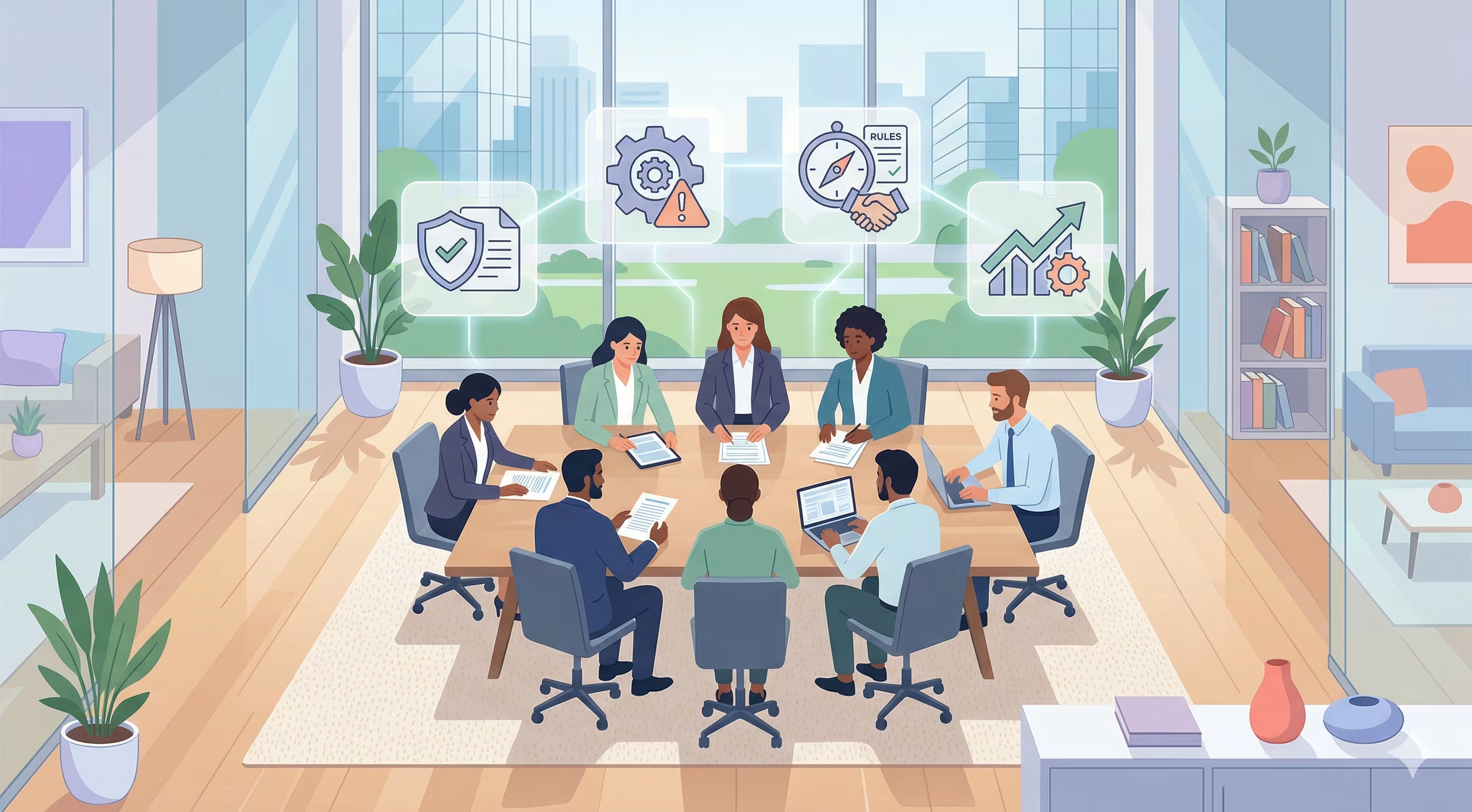
GRC automation is the use of software to run governance, risk, and compliance tasks, like collecting audit evidence and checking controls, without manual work.
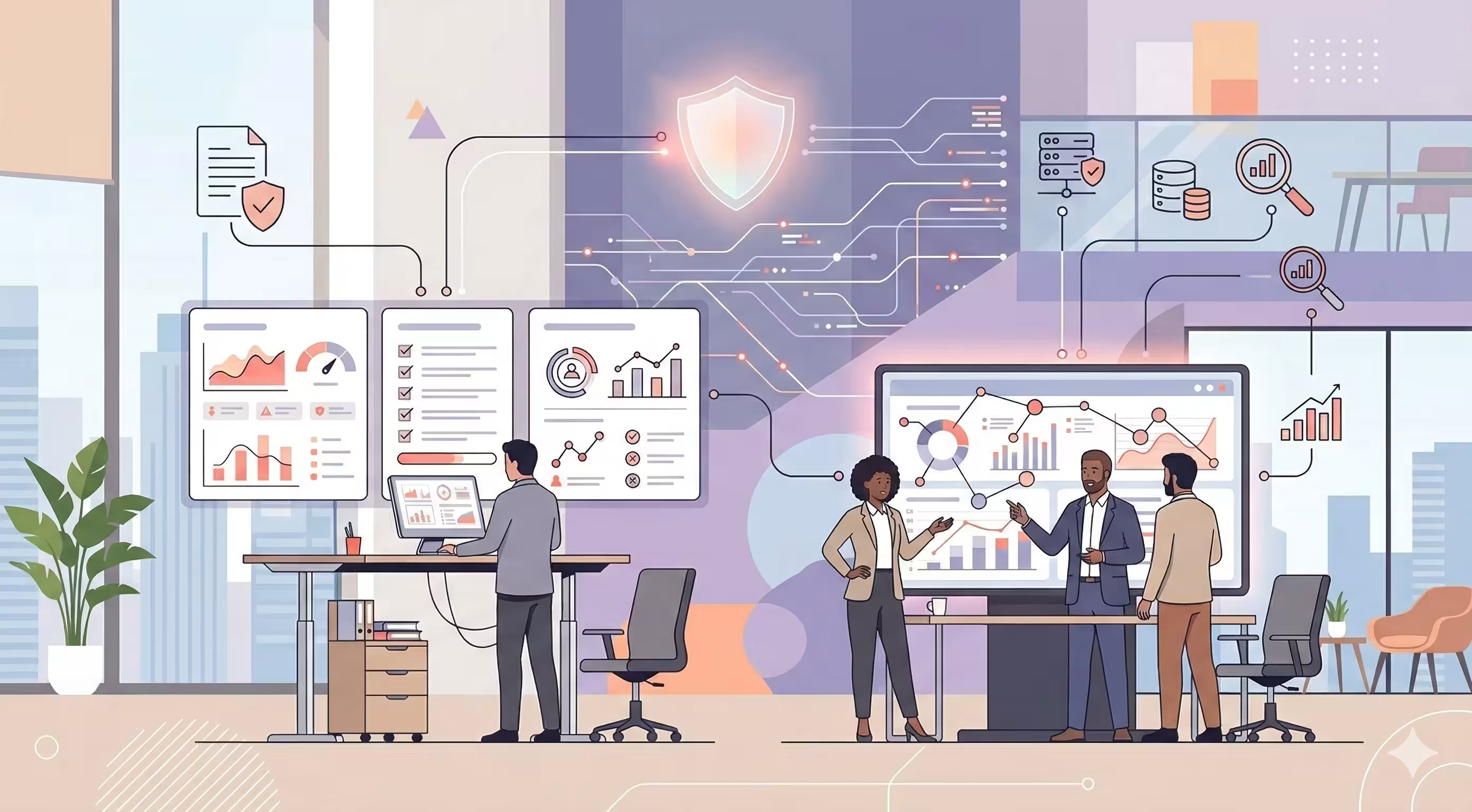
Instead of screenshots, spreadsheets, and email chains, a GRC automation platform connects to your cloud, HR, and code tools. It pulls evidence on its own, checks your controls every day, and flags what broke. Your team still makes the decisions. The software does the busywork.
This guide covers what GRC automation means, which tasks you can automate, the benefits, how to roll it out in six steps, and how to choose a tool.
What GRC automation means
GRC stands for governance, risk, and compliance. Governance sets the rules and who owns them. Risk management finds and reduces threats to the business. Compliance proves you follow the laws and standards that apply to you, like SOC 2, ISO 27001, HIPAA, or GDPR. If you want the basics first, read our guide to GRC in cybersecurity.
Automating GRC means letting software handle the repeat work inside all three. A few examples:
-
Collecting proof that MFA is turned on for every employee, every day, instead of once before the audit.
-
Sending policy reminders and tracking who signed them.
-
Updating the risk register when a control fails.
-
Answering a customer security questionnaire from answers you already approved.
What is a GRC tool?
A GRC tool is software that keeps your policies, risks, controls, and audit evidence in one place, so you can manage and prove compliance without spreadsheets.
Most GRC tools cover the same core jobs: a control library, a risk register, policy management, evidence storage, audit workflows, and reporting. Modern tools add integrations, so the evidence comes in by itself.
What is a GRC system?
A GRC system is the full setup a company uses to run governance, risk, and compliance: the people, the processes, and the software that ties them together.
The software part is usually a GRC platform. When people say "GRC system," they often mean that platform. A strong GRC system has three parts working together:
-
Governance: policies, owners, and approvals.
-
Risk management: a live risk register with scores, owners, and treatment plans.
-
Compliance: controls mapped to each framework, with evidence that proves each one works.
Which GRC tasks can you automate?
You can automate most of the repeat work in GRC: evidence collection, control checks, access reviews, policy tracking, vendor reviews, and reporting. Judgment calls stay with people.
| Task | Manual way | Automated way |
|---|---|---|
| Evidence collection | Screenshots from AWS, Okta, and GitHub before each audit | Integrations pull evidence on a schedule and store it with a timestamp |
| Control monitoring | Someone checks settings once a quarter, or never | Daily automated tests flag a failed control within hours |
| Access reviews | Export user lists to a spreadsheet and email managers | The platform lists who has access to what and collects sign-off in one place |
| Policy management | Word files in shared drives, signatures chased by email | Policy templates, version history, and tracked employee sign-off |
| Risk register | A spreadsheet updated before the audit | Risks linked to controls, so a failed control raises the risk score |
| Vendor risk | Questionnaires sent and tracked by hand | Vendor inventory, automated questionnaires, and review reminders |
| Security questionnaires | Answers rewritten for every customer | Answers reused from an approved library |
| Auditor requests | Long email threads and shared folders | Auditors see mapped evidence for each control in one portal |
| Reporting | Slides built by hand for the board | Live dashboards of control health and open risks |
How does GRC software automate workflows and controls?
GRC software automates controls by connecting to your systems through APIs and testing their settings against the rules of each framework.
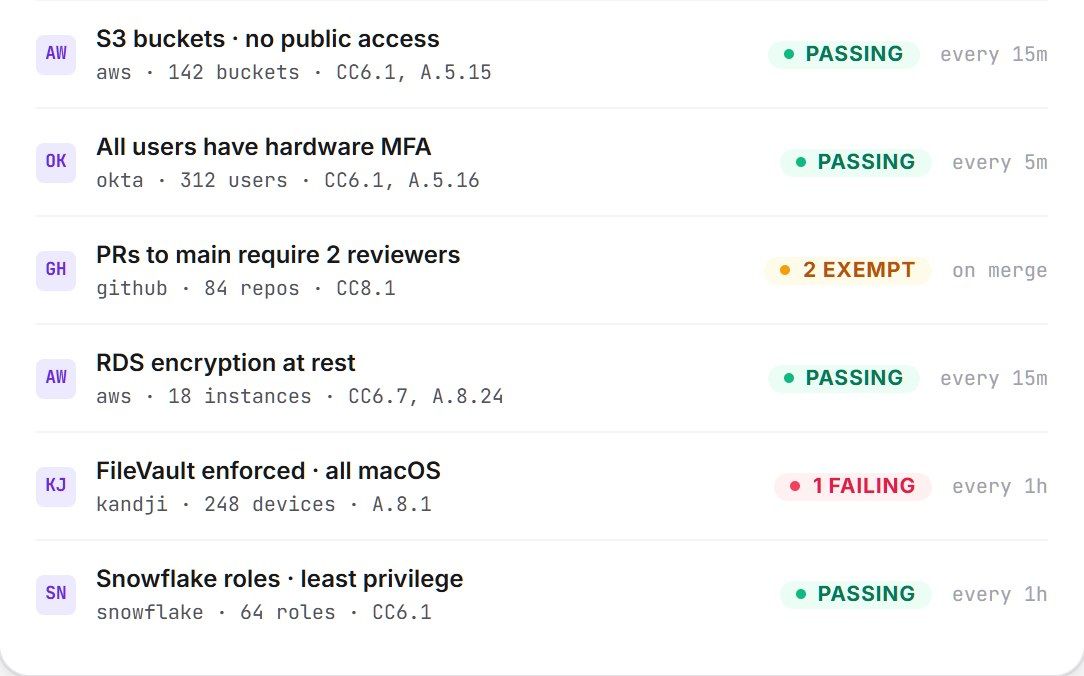
Here is what that looks like for one control, "all employees use MFA":
-
The platform connects to your identity provider, like Okta or Google Workspace, with read-only access.
-
Every day, it checks whether each active user has MFA turned on.
-
If someone does not, the control fails and the owner gets an alert or a ticket.
-
Once fixed, the next check passes, and the timestamped result is saved as audit evidence.
This is called continuous control monitoring. The same check counts for every framework that needs it, so one test can cover SOC 2, ISO 27001, and HIPAA at the same time.
Manual vs automated GRC
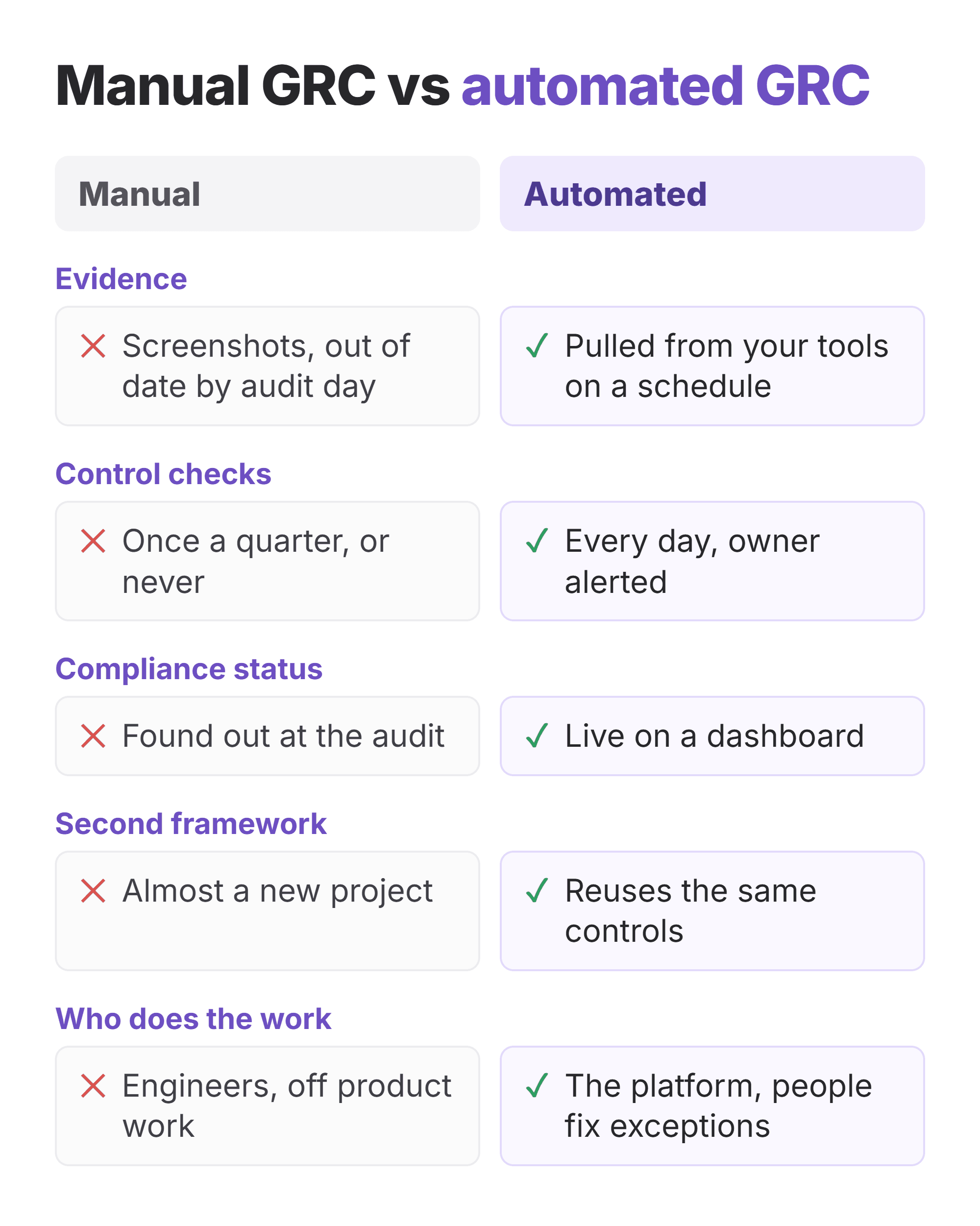
| Manual GRC | Automated GRC | |
|---|---|---|
| How you know you are compliant | You find out at the audit | A dashboard shows it every day |
| Evidence | Screenshots taken once, often out of date | Collected on a schedule, with timestamps |
| Adding a second framework | Close to a second project | Reuses existing controls and evidence |
| Audit prep | Weeks of chasing people | Mostly reviewing what is already there |
| Risk view | A snapshot from the last review | Updated when controls change |
| Who does the work | Engineers pulled off product work | The platform, with people handling exceptions |
What's the difference between a compliance automation tool and a full GRC platform?
A compliance automation tool focuses on passing audits like SOC 2 and ISO 27001, while a full GRC platform also covers enterprise risk, internal audit, and governance across the whole company.
Startups and scaleups selling to enterprise companies usually start with compliance automation, because a customer asked for a SOC 2 report. Large, regulated companies with internal audit teams often need a broader GRC suite. Many tools now sit in between. Our guide to how compliance automation works goes deeper on this.
Benefits of GRC automation
The main benefit of GRC automation is time. Teams spend less of it collecting proof and more of it fixing real gaps.
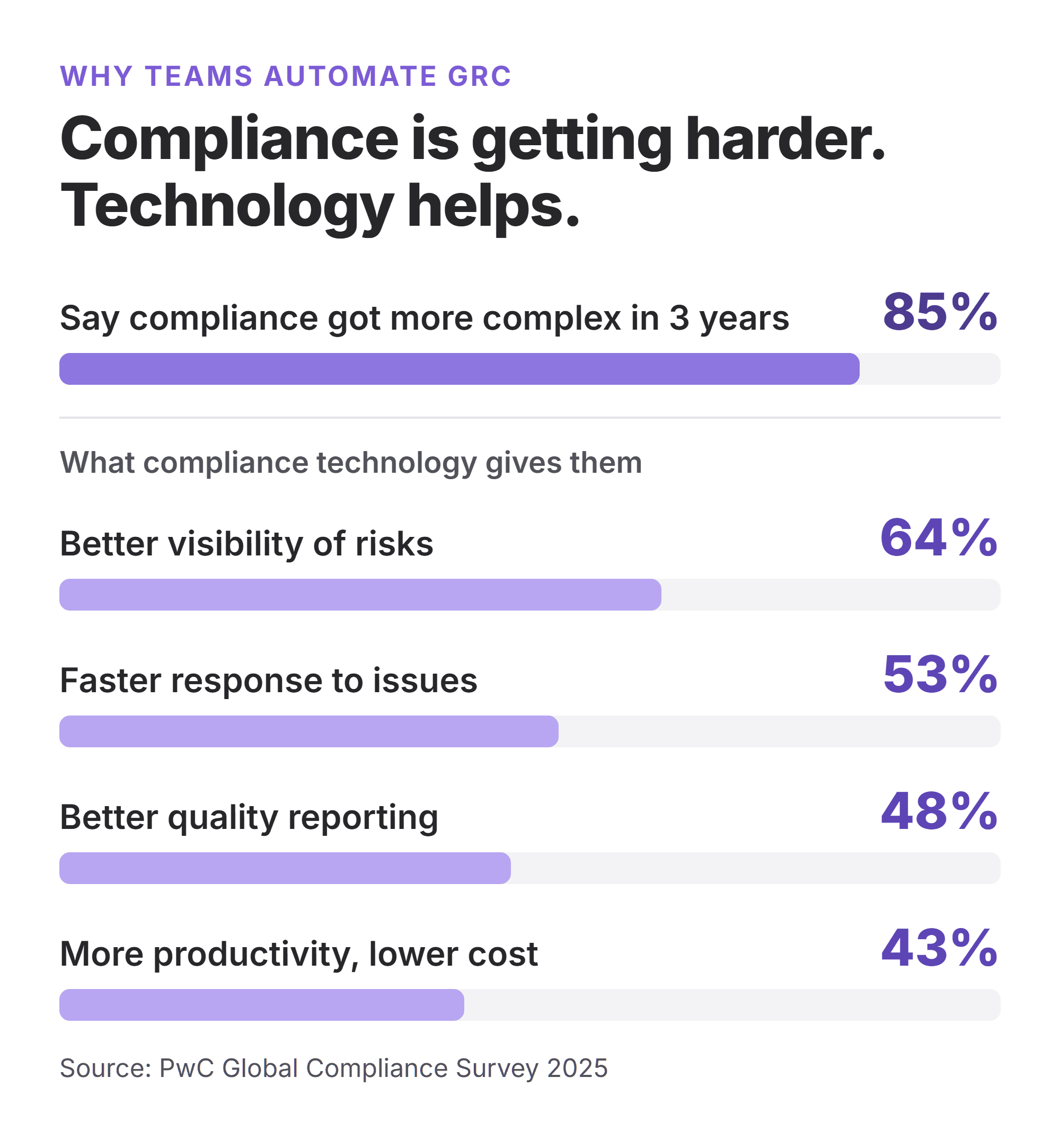
The need is growing. In PwC's Global Compliance Survey 2025, 85% of respondents said compliance requirements have become more complex in the last three years, and 49% already use technology for 11 or more compliance activities.
-
Better view of risk. In the same PwC survey, 64% of respondents said compliance technology gave them better visibility of risks.
-
Faster response to problems. 53% said it helped them spot and respond to compliance issues faster. Daily checks catch a broken control in hours, not at the audit, which means fewer findings in your report.
-
Hours back for engineers. 43% reported higher productivity and cost savings. Evidence that used to take a week of screenshots is collected on its own.
-
One set of controls for many frameworks. Map a control once and reuse its evidence for SOC 2, ISO 27001, HIPAA, and GDPR.
-
Faster sales. Up-to-date evidence and a trust center help you answer security reviews quickly, so deals do not stall.
-
Grow without hiring. The work does not double when your headcount or framework count does.
The 4 stages of GRC automation
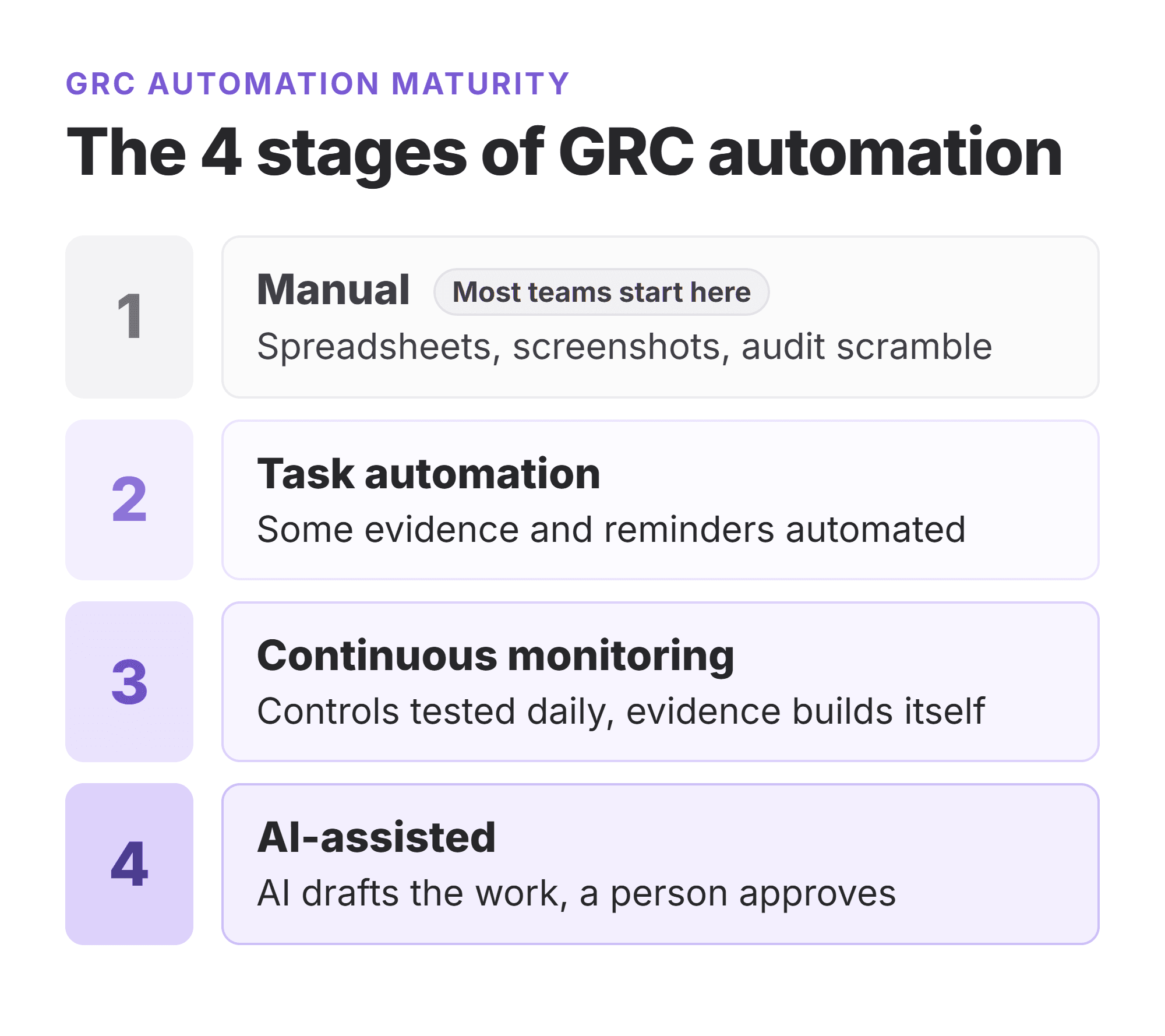
Most companies move through four stages. Knowing yours tells you what to fix next.
| Stage | What it looks like | Next step |
|---|---|---|
| 1. Manual | Spreadsheets, screenshots, and a scramble before each audit | Pick one framework and a platform to centralize controls |
| 2. Task automation | Some evidence and reminders are automated, but checks still happen before audits | Connect all key systems and turn on daily testing |
| 3. Continuous monitoring | Controls are tested every day, failures create tickets, and evidence builds up on its own | Add frameworks by reusing controls, link risks to controls |
| 4. AI-assisted | AI drafts policies, answers questionnaires, and explains failed controls, with a person approving | Set clear rules for what AI can and cannot approve |
Most startups can jump from stage 1 to stage 3 in one move by choosing the right platform. Stage 4 is still early. In the International Compliance Association's 2025 GRC survey of 383 practitioners, just 1.6% of firms had fully integrated AI into GRC, and 32% had not adopted it at all. To see where AI fits today, read our guide to AI in GRC.
How to automate GRC in 6 steps
To automate GRC, start with the framework your customers ask for, connect your systems, and let continuous monitoring replace manual checks.
-
Pick your first framework. For most US startups selling to enterprise companies, that is SOC 2. For customers in Europe, it is often ISO 27001. Start with one.
-
List your systems. Cloud (AWS, GCP, Azure), identity (Okta, Google Workspace), code (GitHub, GitLab), HR (Rippling, Gusto, BambooHR), and ticketing (Jira, Linear).
-
Choose a platform and connect it. Use read-only access where possible. Check that the platform supports the tools you actually use.
-
Assign owners. Every control needs one named owner. Automation flags the problem; a person fixes it.
-
Fix the gaps and turn on monitoring. Close the first round of failed controls, then let daily checks keep them closed.
-
Review and expand. Look at open risks and failed controls every month. Add a second framework only when the first runs smoothly.
When should you automate GRC processes?
You should automate GRC when a customer asks for a compliance report, or when audit prep starts pulling engineers off product work.
Other signs it is time: you are adding a second framework, evidence lives in five different places, or nobody can say today whether every laptop is encrypted. For a longer plan, see our guide to building a GRC strategy for startups.
What GRC automation can't do
GRC automation collects and checks data, but it cannot decide which business risks are acceptable. That stays with people.
-
It does not write your security program. Templates help, but your policies must match how your company really works.
-
It does not replace the auditor. An independent auditor still issues your SOC 2 report or ISO 27001 certificate.
-
It only sees what it is connected to. Manual processes, like a paper visitor log, still need manual evidence.
-
Too many alerts become noise. Tune your checks so owners act on alerts instead of ignoring them.
Where teams still lose time after automating
Even with a GRC automation platform, teams still lose time in a few predictable places. Most of them are people problems, not software problems.
| Where time goes | Why it happens | How to fix it |
|---|---|---|
| Chasing control owners | Alerts go to a shared inbox, so nobody acts | Give every control one named owner and route alerts to them |
| Fixing evidence the auditor rejects | The integration collects data, but not the exact proof the auditor asked for | Agree on evidence with your auditor before the audit window starts |
| Manual systems | Some tools have no integration, like an on-prem server or a physical office | List these early and schedule simple monthly uploads |
| Exceptions | A contractor without MFA, a legacy app that cannot be encrypted | Document the exception, the risk owner, and the review date once, instead of explaining it every audit |
| Framework mapping | Frameworks change, like ISO 27001 moving to the 2022 version | Use a platform that updates mappings for you, and review them yearly |
The pattern is simple: fix ownership and process first, then automate. Automating a messy process only makes the mess faster.
How to choose a GRC automation tool
Choose a GRC automation tool by checking that it supports your frameworks, connects to your systems, and includes the help you need to pass the audit.
-
Framework coverage: Does it support the frameworks you need now and next year?
-
Integrations: Does it connect to your cloud, identity, code, and HR tools?
-
Control mapping: Can one control count for several frameworks?
-
Continuous monitoring: Are controls tested daily, with alerts?
-
Expert help: Do you get real security experts, or only software?
-
Audit support: Does it work with your auditor, and does it include a pentest if your framework needs one?
-
Pricing: Is the pricing clear, and what happens when you add frameworks or people? Our GRC software pricing guide breaks down what tools cost.
Want one platform that checks every box above? Book a demo of UprootSecurity to see it working on your own stack.
GRC automation tools to compare
GRC automation tools fall into two groups: compliance automation platforms built for SaaS companies, and broad enterprise GRC suites.
| Tool | Type | Best for |
|---|---|---|
| UprootSecurity | Compliance automation with expert-led service | Startups and scaleups that want SOC 2, ISO 27001, HIPAA, or GDPR with hands-on help and a pentest included |
| Vanta | Compliance automation | Startups and mid-size SaaS companies wanting a large integration library |
| Drata | Compliance automation | Larger companies, often 500+ employees, with in-house compliance staff |
| Secureframe | Compliance automation | Mid-size companies managing several frameworks |
| Sprinto | Compliance automation | Cloud-native SMBs looking for a lower-cost option |
| ServiceNow IRM | Enterprise GRC suite | Large enterprises already running ServiceNow |
| Archer | Enterprise GRC suite | Large, regulated companies with complex risk programs |
| LogicGate Risk Cloud | Configurable GRC platform | Teams that want to build custom risk workflows |
| OneTrust | Privacy and GRC platform | Companies focused on privacy laws like GDPR and CCPA |
Read our in-depth reviews of Vanta, Drata, Secureframe, and Sprinto, or see the full list of the best GRC tools.
How UprootSecurity automates GRC
Your customers do not just want to hear that you are secure. They want proof: a clean SOC 2 report, an ISO 27001 certificate, fast answers to their security questionnaire. UprootSecurity turns your compliance work into that proof, without pulling your engineers off the product.
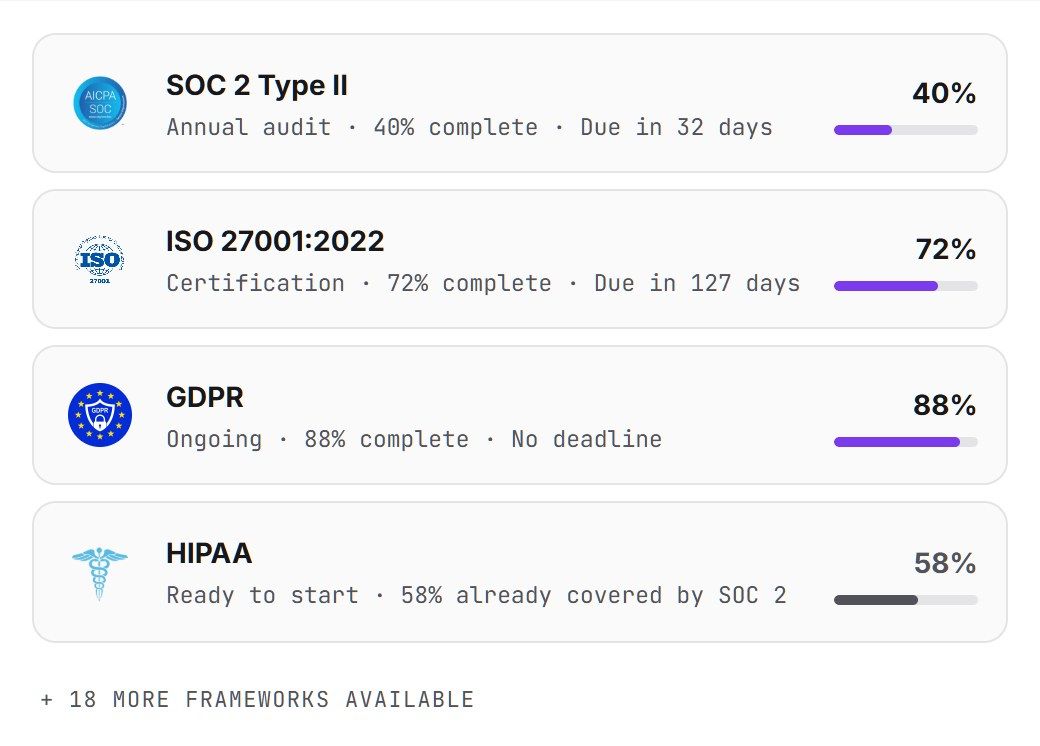
UprootSecurity is a compliance automation platform with security experts built in. The platform connects to your stack, tests your controls every day, and collects evidence on its own. Our team helps you fix gaps, writes policies with you, and works with your auditor until the report is issued.
| What your customers ask for | What UprootSecurity delivers |
|---|---|
| "Send us your SOC 2 report." | SOC 2 readiness, continuous monitoring, and audit support through to the final report |
| "Are you ISO 27001 certified?" | One control set mapped to ISO 27001 and SOC 2, so you do the work once |
| "Show us your latest pentest." | A pentest included in every plan, with findings tracked to closure |
| "Fill out our security questionnaire." | Up-to-date evidence and approved answers you can share quickly |
| "How do we know you stay compliant?" | Daily control checks, so you are audit-ready all year, not just in audit season |
Customer example: a SaaS company saves hundreds of engineering hours
A fast-growing SaaS company that runs a customer messaging platform needed to show enterprise buyers that its systems were secure and compliant. Its engineers were handling compliance work by hand, on top of building the product.
After moving to UprootSecurity, the team connected its systems and switched to automated evidence collection and daily control checks. In the words of the company's CTO, UprootSecurity "gave our team real-time visibility into the end-to-end process, saving our engineers hundreds of hours of manual effort."
Pricing is a custom quote based on your frameworks and company size. Book a demo to see how it works on your stack, or learn more about continuous monitoring.
Frequently Asked Questions
There is no single top 5, because the right tool depends on your size and goal. For SaaS companies chasing SOC 2 or ISO 27001, common choices are UprootSecurity, Vanta, Drata, Secureframe, and Sprinto. For large enterprises, ServiceNow IRM, Archer, and LogicGate come up often. Match the tool to your problem first.
GRC teams use a GRC or compliance automation platform as the core, plus the systems it connects to. That usually means a cloud provider like AWS, an identity provider like Okta, code tools like GitHub, an HR system, and a ticketing tool like Jira. The platform pulls evidence and control results from all of them.
No. Jira is a ticketing and project tool, not a GRC tool. Many teams use it alongside one, though. A GRC platform can open a Jira ticket when a control fails, and the closed ticket becomes evidence that the issue was fixed. Some Atlassian Marketplace apps add basic GRC features to Jira.
SAP is not a GRC tool itself, but SAP sells GRC software. SAP GRC includes products for access control, process control, and risk management, mostly used by large companies that run SAP for finance and operations. For SaaS startups, a compliance automation platform is usually a better fit.
Yes. Microsoft Purview Compliance Manager helps companies assess and track compliance across Microsoft 365 and Azure, with templates for many regulations. It works best for teams that run mostly on Microsoft. Companies on AWS or Google Cloud usually pair their stack with a separate GRC platform.
No. GRC is the ongoing work of setting rules, managing risk, and staying compliant. An IT audit is an independent check of whether that work is done correctly. GRC teams prepare for audits, and auditors test what GRC teams built. They work closely together but are separate roles.
Neither is better, because they do different jobs. A security operations center (SOC) watches for and responds to attacks in real time. GRC sets the rules, manages risk, and proves compliance. If you meant SOC 2, that is a compliance report, and producing it is part of GRC work.
No. Many GRC automation platforms are built for startups and scaleups. A 20-person SaaS company that needs a SOC 2 report can use one to get audit-ready in weeks instead of months. Enterprise GRC suites are a different category, built for large companies with internal audit teams.
A compliance automation platform can be connected in a few days, and most startups reach SOC 2 audit readiness in a few weeks to a few months, depending on how many gaps they have. Large enterprise GRC suites often take several months to configure and roll out.
Yes. Most modern GRC automation platforms connect to AWS, Okta, GitHub, and similar tools through APIs, usually with read-only access. They check settings like MFA, encryption, and branch protection on a schedule and save the results as timestamped audit evidence.
AI in GRC is mostly used to draft policies, answer security questionnaires, map controls across frameworks, and explain why a control failed. It speeds up the writing and sorting work. A person should still review AI output before it goes to an auditor or customer, because AI can make mistakes.
GRC automation software is usually priced by company size, number of frameworks, and add-ons like pentests or audit fees. Startup-focused platforms cost far less than enterprise GRC suites, which also carry long setup projects. Ask each vendor for a full quote, including the audit and any per-framework fees.