SOC 2 Exceptions: What They Mean and How to Respond
Robin Joseph
Senior Security Consultant
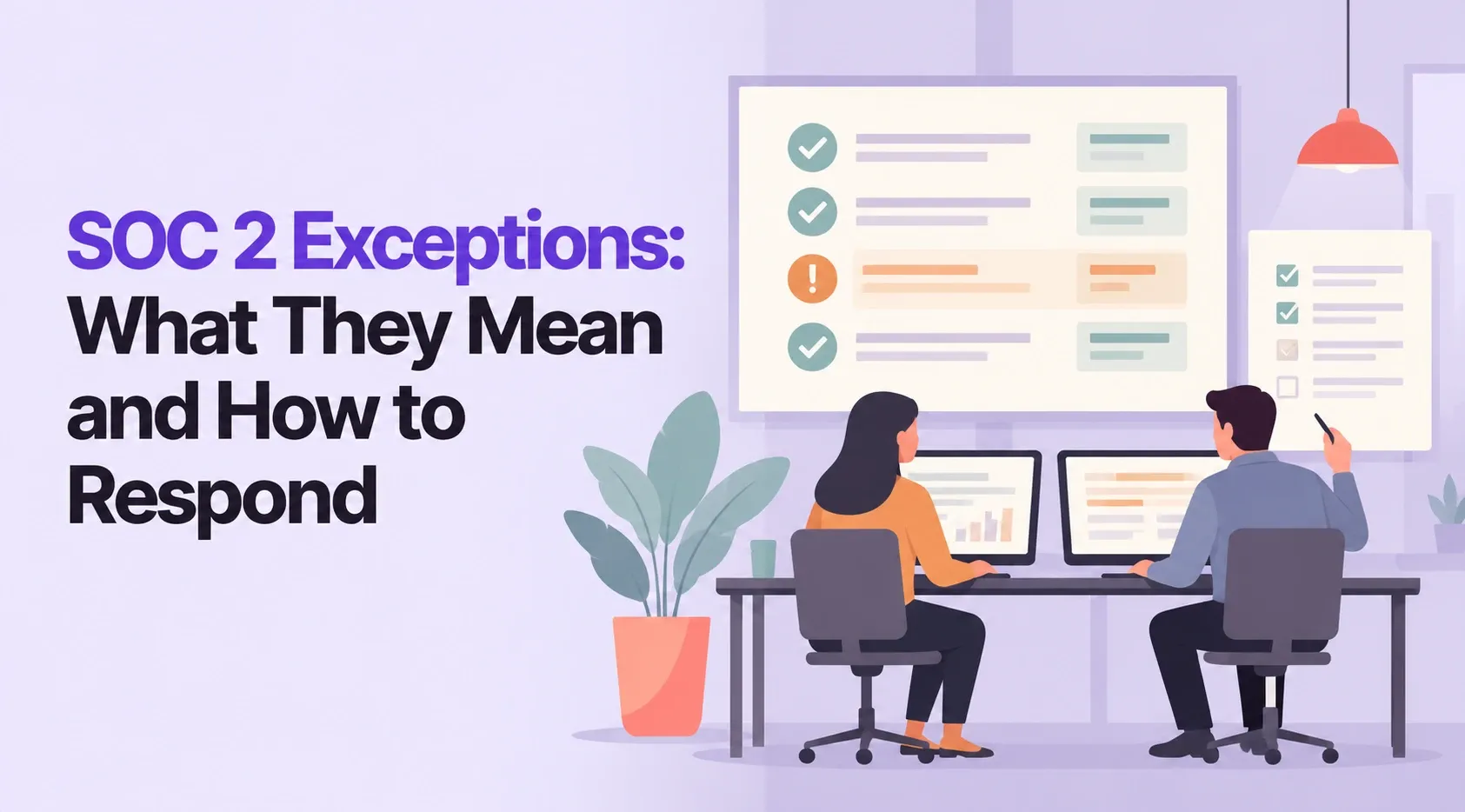
Your SOC 2 auditor checked how your company protects customer data and found one process that did not work as planned. That note in your report is called an exception, and it does not mean you failed SOC 2. Here is what an exception means, how serious it is, and what to do next.
What Is a SOC 2 Exception?
A SOC 2 exception is a note in your audit report that a control was not designed correctly or did not work as planned. The auditor records it in the test results, along with how often it happened. Most reports with a few exceptions still carry a clean opinion.
Every SOC 2 audit exception comes from testing. The auditor picks a sample, such as 25 offboarded employees, and checks each one against your control. If 2 of those 25 kept system access past your deadline, that is an exception.

The 3 Types of SOC 2 Exceptions
Auditors group exceptions into three types. Each one points to a different kind of problem.
| Type | What went wrong | Example |
|---|---|---|
| System description misstatement | Your written description of the system does not match reality | The report says all laptops are encrypted, but 10% are not |
| Design deficiency | The control, even if followed perfectly, would not meet the criterion | Access reviews skip production databases entirely |
| Operating effectiveness deficiency | The control is well designed but was not followed every time | 3 of 40 code changes went live without approval |
Operating effectiveness exceptions are the most common, because they only show up over time. That is why they appear in SOC 2 Type 2 reports, which test controls across an observation period. A SOC 2 Type 1 report checks design on a single date, so it can only show description or design exceptions. Learn more in our guide to the SOC 2 Type 2 report.
Can You Fail a SOC 2 Audit?
SOC 2 has no pass or fail result. Instead, the auditor gives an opinion on whether your controls met the Trust Services Criteria set by the AICPA. Exceptions feed into that opinion, but only serious or widespread ones change it.
So can you fail a SOC 2 audit with one bad control? Not really. If you failed one control, you can still use the report in most cases. One late access review rarely moves the opinion. A pattern of failures across the same criterion can. For the bigger picture, see what SOC 2 is and how the audit works.
SOC 2 Audit Opinions and What They Mean for Sales
The auditor's opinion is the first page your customers read. There are four possible outcomes.
| Opinion | What it means | What buyers usually do |
|---|---|---|
| Unqualified (clean) | Controls met the criteria. Exceptions, if any, were not material | Accept the report and move on |
| Qualified | Controls met the criteria "except for" one or more specific areas | Ask follow-up questions about the failed area |
| Adverse | Problems were material and pervasive across the system | Often pause or stop the deal |
| Disclaimer | The auditor could not get enough evidence to form an opinion | Treat it like having no report |
The line between them comes down to two words. A qualified opinion means the problem is material but limited to one area. An adverse opinion means it is material and pervasive. A qualified report includes a "Basis for Qualified Opinion" paragraph that explains exactly which criterion was missed.
Is a qualified or unqualified opinion better? Unqualified is better. It is the clean result every company aims for. A qualified opinion is still usable, but expect more questions in security reviews.
Where Exceptions Appear in Your SOC 2 Report
Exceptions and your response sit in two different parts of the report.
- Section 4 (tests and results): the auditor lists each control, the test performed, and the result. Exceptions appear here as "exceptions noted" with the sample count.
- Section 5 (other information): your management response goes here. This is the only unaudited section of a SOC 2 report, so the auditor reads it for accuracy but does not test it (Linford & Co.).
Some audit firms number these sections differently. Look for the "tests of controls" section and the "other information provided by management" section.
Common SOC 2 Exceptions (With Examples)
Most SOC 2 audit exceptions come from routine tasks that slip during busy months. Here are the ones auditors flag most, with the kind of wording they use.
| Control area | Typical exception wording |
|---|---|
| Offboarding | "For 2 of 25 terminated users sampled, access was not removed within 24 hours" |
| Access reviews | "The Q3 user access review was not performed" |
| Change management | "3 of 40 production changes lacked documented approval" |
| Security training | "4 of 30 new hires did not complete training within 30 days of start" |
| Background checks | "Background checks were not completed for 2 of 15 new hires" |
| Vendor management | "Annual risk reviews were not performed for 3 critical vendors" |
| Vulnerability management | "High-severity findings were not fixed within the 30-day policy window" |
Notice the pattern. Most exceptions are not security failures. They are missed deadlines and missing evidence. The work was often done, but nobody saved proof at the time. Our audit finding guide covers how auditors grade issues like these.
How to Respond to a SOC 2 Exception
A good response follows three steps. Work through them as soon as the auditor raises the issue, not after the report is issued.
- Confirm the facts. Ask the auditor which samples failed and why. Sometimes the evidence exists and was simply not shared. Clearing a false exception before the draft report is the fastest win.
- Find the root cause. Was it a person, a process, or a tool? "The offboarding ticket was not linked to the HR system" is a root cause. "Human error" is not.
- Show mitigation and remediation. Mitigation explains why the risk stayed low during the gap. Remediation explains what you changed so it does not happen again.

Talk to your auditor before you describe a new control in your response. If the new control falls inside the audit scope, the auditor may need to test it, which limits what you can write.
Can you fix an exception after the audit period? You cannot change the period that was tested. You can fix the issue, describe the fix in your response, and show it working in your next audit period. Track each fix with an owner, a due date, and saved evidence so you can prove closure next year.
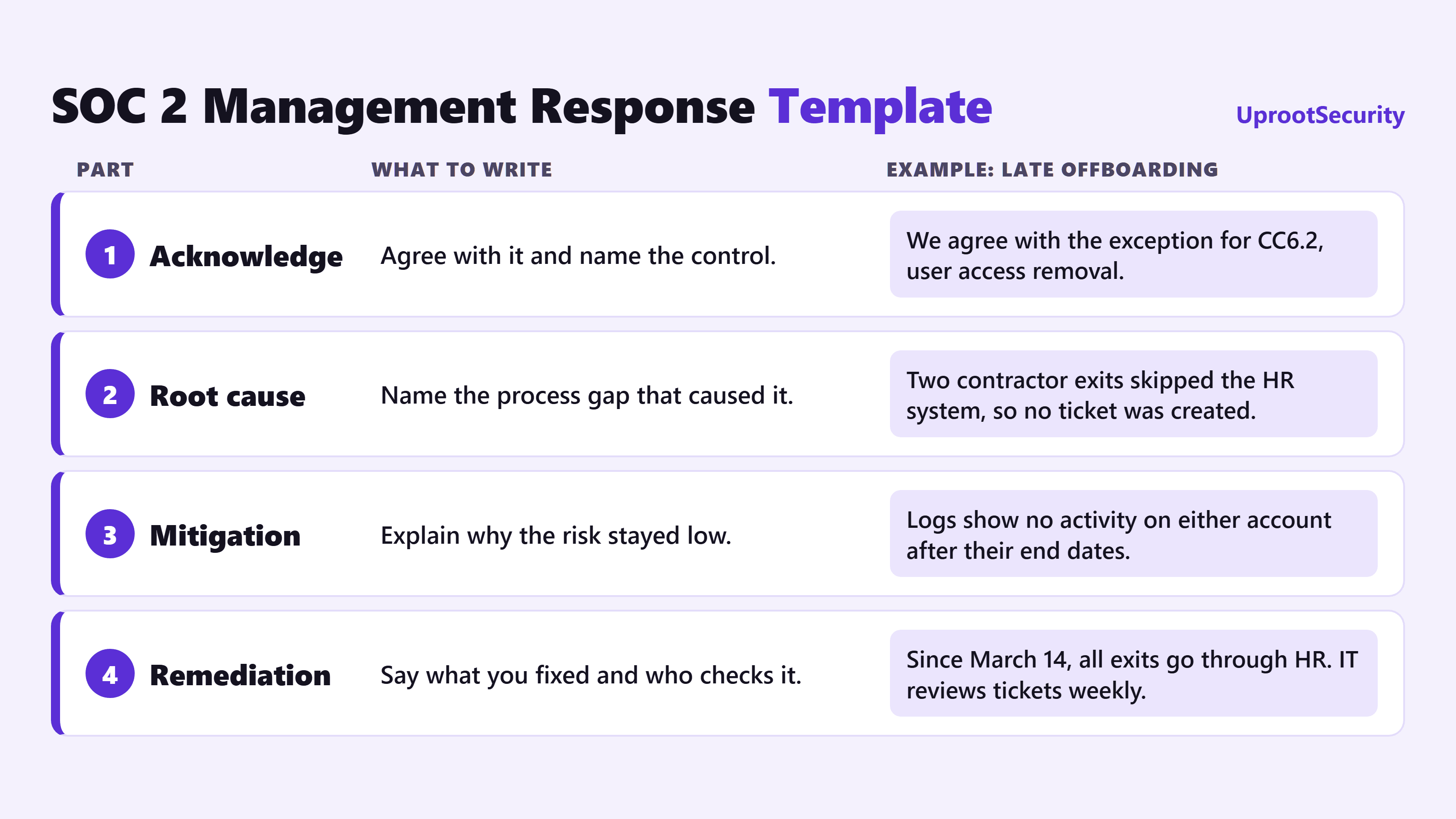
SOC 2 Management Response Template
Use these four parts for each exception. The middle column says what to write, and the right column shows a real example for a late offboarding exception.
Facing exceptions in your current audit? Talk to a compliance expert before your report is issued.
What to Tell Customers About Exceptions
Buyers who read SOC 2 reports expect to find some exceptions. What worries them is silence. When you share the report:
- Point them to the opinion first. If it is unqualified, say so plainly.
- Name the exceptions before they ask. A short note listing each one, its impact, and its fix saves days of back and forth.
- Share remediation status. "Fixed in March, tested clean since" is the sentence that closes security reviews.
- Offer a bridge letter if needed. A bridge letter is a management statement that covers the gap between your last audit period and the next report. It is not auditor assurance, but buyers often accept it.
How to Prevent Exceptions Before Your Next Audit
Exceptions are cheaper to prevent than to explain. These habits stop most of them.
- Give every control an owner. Each control needs one named person, not a team.
- Collect evidence when the work happens. A screenshot saved today beats a search through tickets 10 months later.
- Monitor controls all year. Continuous checks catch a missed access review in week one, not at audit time.
- Run a mock audit mid-period. Pull your own samples the way an auditor would and fix the gaps you find.
- Start with a readiness review. Use a SOC 2 compliance checklist before the observation period begins.
Most exceptions trace back to one cause: evidence that was never saved. Fix that, and the rest gets easier. For the full audit timeline, see our SOC 2 audit process guide.
How UprootSecurity Helps You Avoid SOC 2 Exceptions
A clean SOC 2 report starts with controls that work every day, not just in the weeks before fieldwork.
| What keeps exceptions out of your report | How UprootSecurity helps |
|---|---|
| Controls ready before the observation period starts | Audit readiness for 22 frameworks, including SOC 2, with a dedicated compliance expert |
| Evidence saved when the work happens | Continuous monitoring across 140+ integrations |
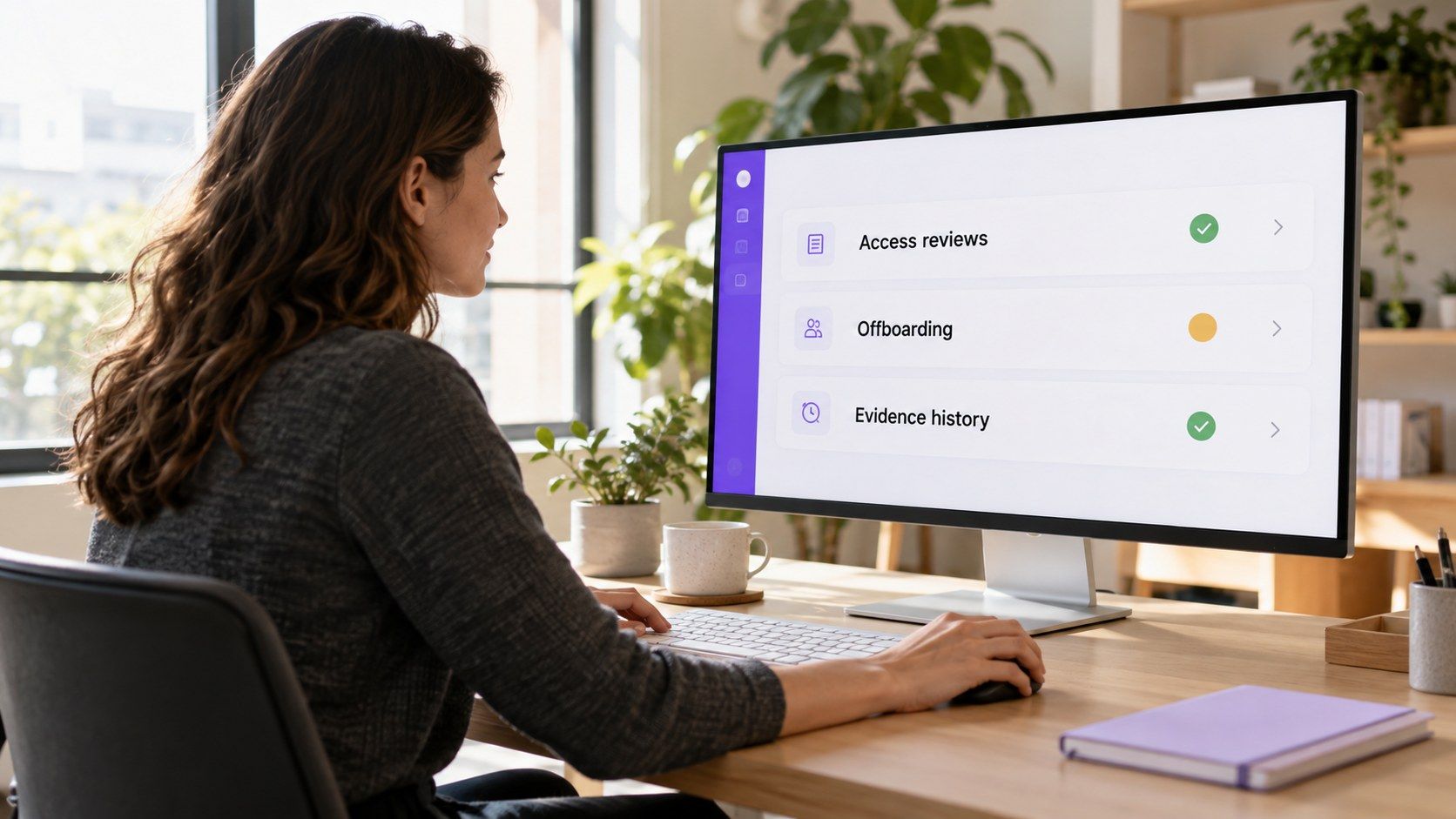
| Drift caught before the auditor samples it | Daily control checks that flag a missed access review or late offboarding |
| A clear answer when an exception does happen | Your compliance expert helps you shape root cause, mitigation, and remediation |
| Proof you can share with buyers | A trust center (Growth and Enterprise plans) |
UprootSecurity is a compliance platform for startups and scaleups that need a clean SOC 2 report to win enterprise deals. Your compliance expert sets scope and fixes gaps before the period opens. During the period, continuous monitoring checks your controls daily, so a skipped review shows up while you can still fix it, not months later in Section 4. When fieldwork starts, your evidence is already organized for the auditor. Penetration testing is included, and pricing is a custom quote based on your scope.
Worried about exceptions in your next SOC 2 audit? → Book a demo today
Frequently Asked Questions
An unqualified opinion is better. It means your controls met the SOC 2 criteria, with no material problems. A qualified opinion means one specific area did not meet the criteria. The report is still usable, but customers will usually ask follow-up questions about that area before they sign.
A SOC 2 exception is a specific test result where a control did not work as planned, and it appears in the report. An audit finding is a broader term for any issue an auditor raises. Some findings become formal exceptions in the report, while others are shared privately with management as recommendations.
Usually not. One exception rarely changes the opinion on its own. Auditors look at how severe it is, how often it happened, and whether other controls reduced the risk. A qualified opinion usually comes from a pattern of failures, or one serious failure, in the same criterion.
You cannot change the results for a period that was already tested. You can fix the issue, describe the fix in your management response, and show the control working in your next audit period. Keep evidence of the fix, because your auditor will test it next time.
No. A security incident does not automatically create an exception or fail the audit. The auditor checks whether your incident response controls worked as written. If you detected, handled, and documented the incident according to your own policy, that can actually show your controls are working.
An audit exception report is a list of every control test where the result did not match what was expected. In SOC 2, these exceptions appear in the tests of controls section of the report, usually Section 4. Each one shows the control, the test, and how many samples failed.
Yes, but only certain kinds. A SOC 2 Type 1 report checks control design on a single date, so it can show description misstatements or design deficiencies. It cannot show operating effectiveness exceptions, because the auditor does not test how controls worked over a period of time.
Yes. The management response is part of the report your customers receive, usually in Section 5. It is not tested by the auditor, but the auditor reads it before the report is issued. A clear response that explains the root cause and the fix often answers customer questions before they ask.
SOC 2